Hikvision vs Dahua: How to Choose the Best Security Cameras for Your Business in Mexico (2026)
Enterprise video surveillance is no longer about reviewing old footage after something has already happened. The real shift is moving from passive monitoring to proactive control: real-time alerts via app and AI analytics that notify you the moment something occurs, not days later.
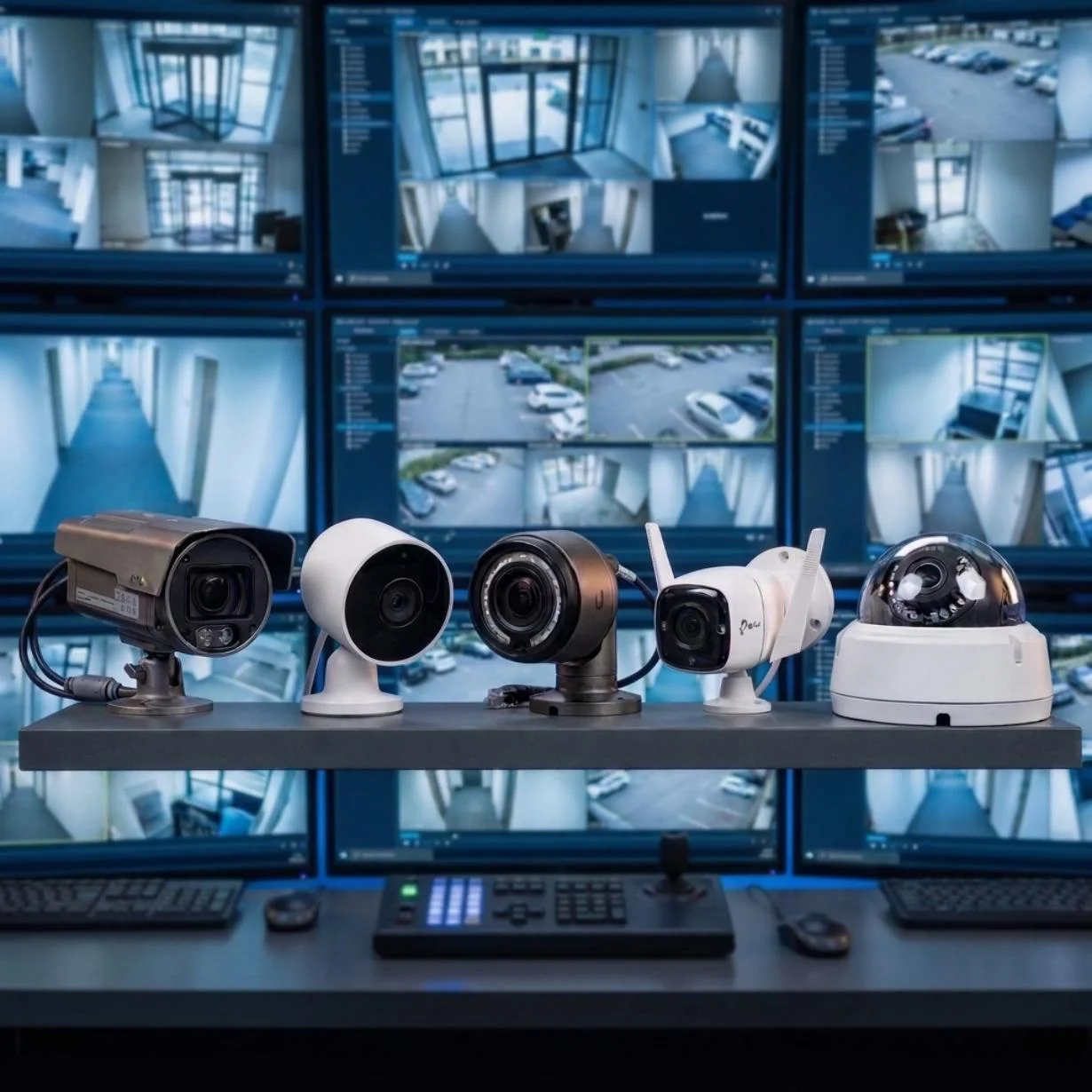
Enterprise video surveillance is no longer about reviewing old footage after something has already happened. The real shift is moving from passive monitoring to proactive control: real-time alerts via app and AI analytics that notify you the moment something occurs, not days later. We already covered what a CCTV system is, how it works, and what you need to install one in our complete CCTV guide. This comparison goes a step further: it helps you choose the right camera type and brand for your site, using Hikvision and Dahua as reference points — the two brands with the strongest presence in the Mexican market.
Step 1: Identify Your Site's Real Needs
Before comparing brands or models, you need to define what the site actually needs. Choosing cameras without this step is the most common reason a company ends up paying twice: first for an undersized system, and later to fix it.
What type of space is it? Industrial warehouse, distribution center, corporate offices, exterior perimeter.
What problem are you trying to solve? Vehicle and pedestrian access control, prevention of small-scale theft ("ant theft"), remote supervision of operational processes, audit compliance, or insurer requirements.
How many shifts does the site operate? A 24/7 site requires cameras and storage sized for continuous recording, not occasional use.
Who needs to view the footage, and from where? A local site manager doesn't have the same requirements as a headquarters team monitoring the site from another country.
These answers are what actually determine how many cameras you need, what type, and what level of analytics — not the brand you choose afterward.
Step 2: Choose the Right Camera Type
Not every camera works for every space. Here's the most common match between site type and camera type:
Space | Recommended Camera | Why
|
|---|---|---|
Access points and loading docks | Fixed | Coverage of a specific angle, ideal for access control. |
Yards and parking lots | PTZ (pan-tilt-zoom) | Active tracking over large areas. |
Interiors and hallways | Dome | Discreet, with wide coverage. |
Exterior perimeter / low visibility | Thermal | Detects in low-light or reduced-visibility conditions. |
High-traffic or high-risk areas | With AI analytics | People counting, intrusion detection, automatic alerts. |
Beyond camera type, there are specifications worth reviewing model by model, not just brand by brand: resolution (2 megapixels is a reasonable minimum today; 4 or 8 megapixels for critical areas where you need to identify faces or license plates), night-vision range in meters, the lens's field of view relative to the space being covered, and the weatherproof rating (IP66 or IP67) if the camera will be installed outdoors. These specs vary model by model within any brand's catalog, which is why comparing "Hikvision vs. Dahua" in general terms tells you less than comparing the specific model your integrator is quoting.
By volume, Hikvision and Dahua are the two video surveillance brands with the largest global presence, and both have well-established distribution in Mexico through certified integrators. For a business, the practical difference between the two rarely comes down to the logo on the box — it comes down to four factors:
Warranty and support: what determines whether a problem gets resolved in hours or in weeks is the integrator behind the equipment, not just the brand.
4K visibility and night vision: both brands have product lines with color-in-low-light technology (Hikvision's ColorVu line, Dahua's Full-Color line); the right choice depends on the available catalog and budget, not on one brand being categorically superior to the other.
Compatibility with your video management software (VMS) and the rest of your network infrastructure, so the system doesn't end up isolated from the rest of the site.
Availability of spare parts and local support: a broad catalog is worthless if the model that failed takes weeks to replace in Mexico.
Other Security Camera Brands on the Market
Hikvision and Dahua dominate the market by volume, but they aren't the only serious options for an enterprise operation. Depending on your budget, the level of support you're looking for, and whether you already have a defined IT ecosystem, it's worth knowing about:
Axis Communications: a Swedish brand, pioneer of the IP camera. Premium catalog aimed at banks, airports, and sites with high requirements for image quality and device cybersecurity, at a notably higher cost per camera.
Provision-ISR: strong presence in Latin America, with a broad line of cameras and NVRs geared toward integrators and a good cost-to-coverage ratio.
Epcom: a brand with strong distribution in Mexico through local integrators, with a catalog aimed at medium-scale projects.
Uniview (UNV): a Chinese manufacturer with a catalog comparable to Hikvision's and Dahua's; growing presence among integrators looking for a third option on price and quality.
Hanwha Vision (formerly Samsung Techwin / Wisenet): a South Korean brand with a stated focus on device-level cybersecurity, common in sectors that prioritize compliance and traceability.
Bosch Security: a German manufacturer with a premium catalog and strong integration with building management systems (BMS); frequent in corporate and demanding industrial environments.
ZKTeco: better known for access control and biometrics, but with its own camera line that integrates well when the project already combines CCTV with access control.
Cisco Meraki: an option for companies with IT infrastructure already built on Meraki. Cameras managed 100% in the cloud, with no local NVR, in exchange for a recurring license.
None of these brands, on their own, solves what a well-designed project solves: the brand matters less than correctly sizing the system, the infrastructure that supports it, and the real support behind it once it's installed.
Step 3: The Critical Infrastructure Behind Any Camera Brand
No brand delivers on its promise if the infrastructure behind it isn't ready. An enterprise CCTV system runs on structured cabling with PoE (Power over Ethernet), which avoids running additional electrical wiring per camera and lets you centralize the system over the site's same data network. This is exactly what tends to fail when installation is handled camera by camera, instead of being designed as part of the site's connectivity infrastructure.
Cat6A cabling or higher, which supports PoE+ and leaves enough bandwidth headroom for 4K cameras and AI analytics without saturating the network.
A PoE switch with enough ports and a power budget calculated for the actual number of cameras — not just the ones installed on day one.
Conduit routing and a communications room sized from the design stage, not added later into an already-finished space.
Backup power (UPS) and, in critical sites, a second connectivity path, so the system doesn't depend on a single point of failure.
When cabling is coordinated with the civil works and the data network from the design stage — instead of being installed afterward, breaking into what's already built — the CCTV system ends up more reliable and cheaper to maintain, regardless of which camera brand you choose on top of it.
Step 4: Total Cost and Maintenance — The Investment Doesn't End on Installation Day
The cost of the cameras is just the first outlay. A CCTV system needs periodic preventive maintenance: firmware updates, storage checks, and cleaning or calibration of equipment exposed to the elements. Without that maintenance, the system quietly degrades until it fails right when you need to pull footage that's no longer there.
To solve exactly this, Grupo DITESA developed InfraCare, a proactive infrastructure care service covering four areas: facilities, critical environments, communications, and operational spaces. CCTV, displays, and access control are explicitly covered categories within its technical-hours package.
Instead of calling a technician every time something fails, InfraCare works through scheduled preventive and corrective maintenance, continuous monitoring of critical systems, incident management with committed response times (SLA), capacity planning so infrastructure grows ahead of demand instead of falling short, and always-current technical (as-built) documentation — all under a single point of contact, with staff certified under REPSE.
The service is available both for operations that already built their infrastructure with InfraCore and for companies seeking independent maintenance — including foreign companies arriving in Mexico via nearshoring that need continuous care from day one, without relying on multiple local vendors. Plans are based on a monthly technical-hours package split across different service categories — network and communications, CCTV and access control, electrical, physical infrastructure, among others — without having to quote each request separately and without forced terms.
The real advantage is having a single technology partner that integrates cameras, cabling, networks, and maintenance under one support contract, instead of separately coordinating the camera installer, the cabling contractor, and the maintenance provider.
Common Mistakes When Choosing an Enterprise CCTV System
Before requesting camera quotes, it's worth checking whether your project is about to repeat any of these mistakes — the most frequent ones in enterprise installations:
Buying cameras before defining the network infrastructure that will support them, which ends up in rework or improvised cabling.
Choosing the cheapest available model for a site that operates 24/7, without factoring in the cost of early failures or frequent replacements.
Not sizing the NVR's storage for the actual number of cameras and the retention period the business or the insurer requires.
Installing cameras without integrating them with existing access control and alarm systems, duplicating systems that could run on the same platform.
Not budgeting for preventive maintenance, treating CCTV as a one-time purchase instead of a system that needs to be sustained over time.
Managing each site separately instead of centralizing everything in a single video management software (VMS), losing visibility across the whole operation.
Each of these mistakes is avoidable with planning — and that's exactly what a site survey and a partner who integrates infrastructure and maintenance are designed to solve from the start, not after the fact.
Frequently Asked Questions About Business Security Cameras
Do I need a permit to install security cameras at my business in Mexico?
In general terms, installing cameras within your private property doesn't require a special permit. You should avoid unnecessarily framing public roads or neighboring properties, and check whether your municipality or industry has additional requirements. This isn't a substitute for legal advice: if your operation has a specific regulatory component, it's worth confirming with your legal team.
How many cameras does my industrial plant or warehouse need?
There's no fixed number: it depends on the size of the site, the number of access points, blind spots, and how critical each area is. That's why the first step is always an on-site survey, not a generic figure.
What's the real difference between Hikvision and Dahua?
Both are global brands with broad catalogs and comparable technology across their equivalent product lines. The difference that matters most to a business isn't the brand itself, but the integrator providing support, warranty, and maintenance for the system.
Wired or wireless cameras for a business?
For continuous enterprise operation, wired IP cameras over PoE infrastructure are generally more reliable: they don't depend on Wi-Fi signal, they simplify power delivery, and they hold up better for 24/7 recording. Wireless cameras tend to be better suited for one-off or temporary installations.
How long should I store security footage?
It varies by industry, internal company policy, and your insurer's or auditor's requirements. In enterprise operations, a range of 15 to 30 days is common, though some regulated industries require longer retention periods.
Not Sure How Many Cameras Your Plant Needs or What Infrastructure Is Required?
Schedule a discovery session with our specialists and we'll help you define exactly what your site needs.
Schedule Your Discovery Session with DITESA →


Explore more content like this
Discover more articles, technical guides, and events designed to delve into the topics that interest you and help you continue learning, inspiring yourself, and growing.